
Block Match 3D
Free to play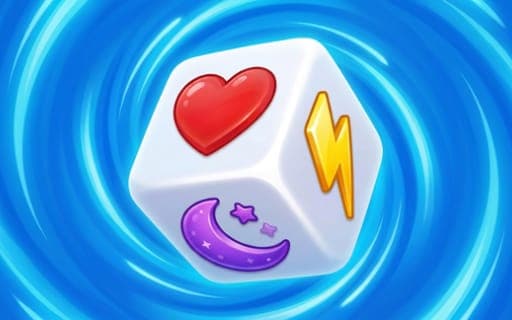
Block Match 3D
Game by Playgama. The provider may show ads and use cookies. Learn more
- Category
- Puzzle
- Platform
- Web browser
- Provider
- Playgama
- Price
- Free to play
About Block Match 3D
Block Match 3D is a 3D puzzle about taking a giant cube apart one block at a time. Every block shows a cute icon, from donuts and animals to emoji and music symbols, and only blocks with an open face can be picked up, so you work your way in from the outside.
Goal chips at the top of the screen name the categories you are collecting. A picked block whose icon matches a goal flies straight to it; anything else drops into the storage bar at the bottom, and if that bar overflows the level is lost. Finishing a goal brings in the next category, and any stored blocks that fit it jump across on their own. Clear every category before the timer ends to win. Hint, Magic Wand, Shuffle and Undo boosters help when the cube gets crowded, across dozens of levels.
Game provided by Playgama
How to play Block Match 3D
Objective
Clear every icon category from the cube before the timer runs out, without ever letting the storage bar overflow.
Controls
Mobile
- Tap a block with an open face: pick it up
Getting started
- Read the goal chips at the top of the screen to see which icon categories you are collecting first.
- Tap a block that has an open face; buried blocks stay locked until you clear what covers them.
- Watch where it goes: a matching icon flies to its goal chip, while any other block drops into the storage bar.
- Finish a goal chip to bring in the next category, and stored blocks of that type will move across automatically.
- Keep going until every category is cleared before the timer ends, using a booster if the storage bar is filling up.
Tips
- Pick goal-matching blocks first and keep the storage bar lean, since one overflow ends the level no matter how much time is left.
- Stored blocks are not wasted: when their category becomes the next goal, they fly to it automatically, so a few planned extras can pay off.
- Use Undo when a tap sends the wrong block to storage, and Magic Wand to grab a needed match buried too deep to reach.
- Try Hint before Shuffle when stuck; Hint points to a block for a current goal, while Shuffle rearranges every icon on the cube.
Play in your browser. No download needed.
Block Match 3D FAQ
What if the storage bar in Block Match 3D overflows?
If blocks that do not match an active goal overflow the storage bar at the bottom, you lose the level. Prioritizing blocks that fit a current goal chip keeps the bar from filling too quickly.
What do the boosters in Block Match 3D do?
Hint points out a block that fits one of the active goals, Magic Wand grabs a matching block for you at once, Shuffle mixes up the icons on the cube, and Undo puts your most recent pick back.
Can you pick any block from the cube?
No. Only blocks with an open face can be tapped. Buried blocks stay off-limits until you remove the ones covering them, so you dig into the cube layer by layer.