
Voxel Master
Free to play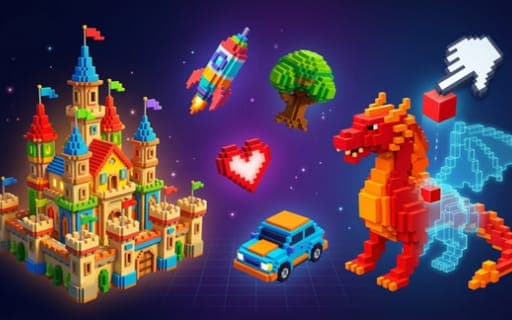
Voxel Master
Game by Playgama. The provider may show ads and use cookies. Learn more
- Category
- Puzzle
- Platform
- Web browser
- Provider
- Playgama
- Price
- Free to play
About Voxel Master
Voxel Master combines a puzzle game and a building tool, both made from colored blocks. In Puzzle mode a target model is put in front of you, and your task is to recreate it block by block, using the hints to work out where each colored piece belongs. Hundreds of levels are available, and they grow harder the further you get.
Sandbox mode drops the target and lets you model freely in 3D. You choose from grids of various sizes, build whatever you have in mind and save the finished creation so it can be shared with friends. Both modes use the same tools: place or remove blocks, spin the camera to see the model from every side, zoom in for detail and pan across larger builds. That mix of guided reconstruction and open-ended creativity is what sets it apart from a plain builder.
Game provided by Playgama
How to play Voxel Master
Objective
Rebuild each target model block by block in Puzzle mode, working through hundreds of levels, or create and save your own models in Sandbox mode.
Controls
Desktop
- Left mouse button: add or delete a block
- Drag: rotate the camera
- Scroll wheel: zoom
- WASD: pan the view
Mobile
- Tap: place a block
- Swipe: rotate the view
- Pinch: zoom
Getting started
- Pick Puzzle mode to rebuild a model, or Sandbox mode to build freely on a grid of the size you want.
- In Puzzle mode, study the target model and the hints that show where the colored blocks need to go.
- Place blocks with the left mouse button or a tap, and use the left mouse button again to remove a misplaced one.
- Rotate the model by dragging or swiping, zoom with the scroll wheel or a pinch, and pan across it with WASD.
- Complete the model to clear the level, and save sandbox creations so you can share them with friends.
Tips
- Rotate the target all the way around before placing anything, since blocks at the back are easy to miss from a single angle.
- Work layer by layer from the bottom, comparing each finished layer with the target model before starting on the next one.
- On a computer, pan with WASD across larger models instead of zooming out, so blocks stay big enough to place accurately.
- Choose the grid size in Sandbox mode to suit your idea before you start, because creations are built on grids of various sizes.
Play in your browser. No download needed.
Voxel Master FAQ
What modes does Voxel Master have?
There are two. Puzzle mode shows a target model that you recreate block by block across hundreds of levels, and Sandbox mode lets you build freely on grids of various sizes and save your work.
How do you place blocks in Voxel Master on a phone?
Tap to place a block, swipe to rotate the view and pinch to zoom. On a computer, the left mouse button places or removes blocks, dragging rotates the camera, the scroll wheel zooms and WASD pans.
Can you share builds in Voxel Master?
Yes. Creations made in Sandbox mode can be saved and then shared with friends, so other people can see the models you have put together block by block.