
Nitro Ball
Free to play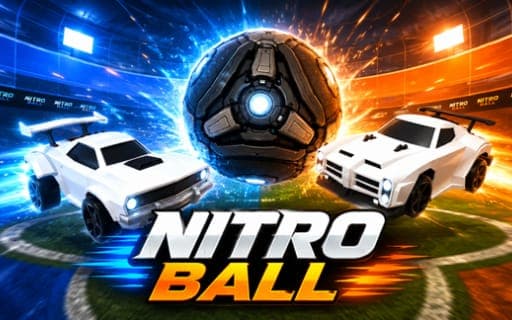
Nitro Ball
Game by Playgama. The provider may show ads and use cookies. Learn more
- Category
- Sports
- Platform
- Web browser
- Provider
- Playgama
- Price
- Free to play
About Nitro Ball
Nitro Ball turns soccer into a car sport. You drive a car with a boost meter around an enclosed arena, and a match goes to whichever side has scored more goals when the clock runs down. The ball is huge, so you hit it with the car itself, driving up walls, jumping, flipping and using boost to fly through the air, either to reach the ball first or to block a shot heading for your own net.
Quick matches against computer opponents come in 1v1, 2v2 and 3v3 sizes, and a knockout tournament strings games together. Hockey mode replaces the ball with a heavy puck sliding on ice. Challenge Maps drop the opponents entirely: they are timed obstacle courses with checkpoints, and your best time on each course is saved. A solo practice arena with nobody else in it lets you work on driving, and the garage lets you swap wheels, decals, toppers, boost trails and the car itself, with over 250 antenna flags on top.
Game provided by Playgama
How to play Nitro Ball
Objective
Put more goals past the other side than they score on you before time runs out. In Challenge Maps the target changes to clearing every checkpoint and reaching the finish faster than your saved best.
Controls
Desktop
- W, A, S, D: drive forward, steer and reverse
- Spacebar: jump; press again in the air to flip or dodge
- Shift: boost
- V: powerslide
- C: change the camera view
- G: show the scoreboard
- O or Esc: open the pause menu
- Gamepad: full controller support, with rebindable buttons in Settings
Getting started
- Choose a mode: a 1v1, 2v2 or 3v3 quick match, the knockout tournament, Hockey, Challenge Maps or the solo practice arena.
- If the car feels unfamiliar, start in the solo practice mode and work on driving, jumping and boosting with no opponents around.
- In a match, drive at the ball and hit it toward the enemy goal, then fall back when the other side attacks yours.
- Keep an eye on the clock and press G to check the scoreboard; the side with more goals at the end wins.
- Between games, visit the garage to change your car, wheels, decals, toppers, boost trails or antenna flag.
Tips
- For a harder shot, hold jump and push a direction so the car flips into the ball instead of just nudging it.
- Boost does not last forever, so drive across the glowing boost pads placed around the arena to top it up before you need to fly.
- High balls are easier to reach if you drive up a wall or a ramp first and jump from there.
- Challenge Maps keep your best time for every course, so replay one once you know where each checkpoint sits and try to shave seconds off.
Play in your browser. No download needed.
Nitro Ball FAQ
Does Nitro Ball support a controller?
Yes. A gamepad is fully supported, and its buttons can be rebound in the Settings menu. On the keys, W, A, S and D drive, the spacebar jumps, Shift boosts, V powerslides and C changes the camera.
How do flips and dodges work in Nitro Ball?
Press the spacebar once to jump, then press it again while the car is still in the air to flip or dodge. Holding jump while pushing a direction sends the car flipping toward the ball, which gives a much stronger hit.
What is the difference between Free Play and Challenge Maps?
Free Play is a solo arena with no opponents, useful for practicing driving and aerials. Challenge Maps are timed obstacle courses: you pass every checkpoint, reach the finish and try to beat the best time saved for that course.
What can you change in the Nitro Ball garage?
You can pick a different car and change its wheels, decals, boost trails and toppers, and there are more than 250 antenna flags to choose from. Set up the look you want before heading into a match or a Hockey game.