
Matching Tiles 3D
Free to play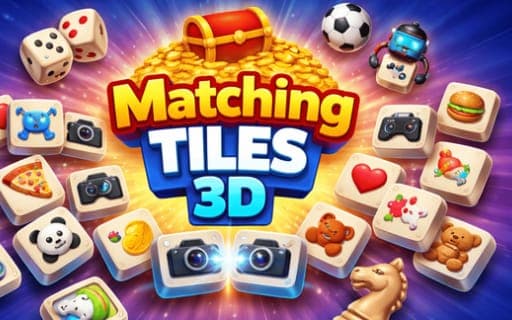
Matching Tiles 3D
Game by Playgama. The provider may show ads and use cookies. Learn more
- Category
- Puzzle
- Platform
- Web browser
- Provider
- Playgama
- Price
- Free to play
About Matching Tiles 3D
Matching Tiles 3D is a calm memory puzzle built on one rule: two tiles showing the same image disappear once you have selected them both. The tiles sit on cubes and their pictures are modelled as 3D objects, so you spend as much time turning the cubes to look around them as you do picking pairs. A round is won the moment the last tile leaves the board.
Because tiles cover the faces of cubes, the partner you need may be hidden on a side turned away from you. Rotating the cubes to bring it into view, then remembering where each picture was, is the real skill. Difficulty rises as you advance, so later boards demand closer attention than the opening ones, but nothing rushes you and the pace stays your own. The game presents itself as relaxed brain training rather than a race.
Game provided by Playgama
How to play Matching Tiles 3D
Objective
Select pairs of tiles that show identical images until none are left, turning the cubes whenever a partner is out of view.
Controls
Desktop
- Click a tile: select it
- Drag with the mouse: rotate the cubes
Mobile
- Touch a tile: select it
- Drag: rotate the cubes
Getting started
- Drag across the cubes to rotate them and get a first look at the images printed on every side.
- Click or touch one tile to select it, choosing an image you have already spotted somewhere else on the board.
- Find the tile carrying the same image and select it as well, which removes the pair from the board.
- Keep rotating and pairing until the last tile is gone, which completes the round and brings a tougher board.
Tips
- Turn the cubes all the way round before your first selection, so you are not hunting blindly while a tile is already selected.
- Clear the pairs you can see on the visible faces first, then rotate to search for partners of whatever is left.
- As boards get harder, work through the cubes one face at a time so no side goes unchecked.
- Say each image name to yourself as you rotate past it; the game leans on memory, and a matching tile may sit just out of view.
Play in your browser. No download needed.
Matching Tiles 3D FAQ
How do you turn the cubes in Matching Tiles 3D?
Drag. On a computer you drag with the mouse and on a phone you drag across the screen, and the cubes rotate to show their other faces. Selecting is separate: a click on PC or a touch on mobile.
What happens when two tiles match?
Selecting two tiles with the same image removes both from the board. The round ends once every tile has been cleared, so keep pairing until the board is completely empty.
Does Matching Tiles 3D get harder over time?
Yes, difficulty increases as you progress, so later boards ask for sharper focus and a better memory of where each image sits. The relaxed framing stays, though, and the pace is still yours to set.