
Mini Chess 3D
Free to play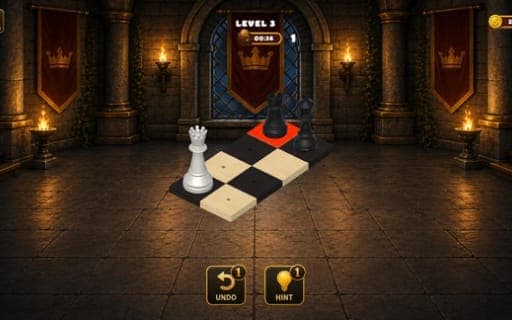
Mini Chess 3D
Game by Playgama. The provider may show ads and use cookies. Learn more
- Category
- Puzzle
- Platform
- Web browser
- Provider
- Playgama
- Price
- Free to play
About Mini Chess 3D
Mini Chess 3D skips the opening and the long middle game and hands you a ready-made position instead. Each level sets up its own board, gives you a fixed number of moves and asks for one result: either capture the target pieces or checkmate the enemy king inside that limit. Working it out means reading the position, predicting how the other side will answer and finding the short line that wins.
Selecting one of your pieces highlights every legal move it has, so the movement rules are always on screen and your attention can stay on tactics. A Hint button helps when a puzzle has you stuck, and Undo takes a move back so you can try another idea. Hundreds of puzzles are included, shown with sleek 3D pieces and smooth animations, and the range is meant to suit newcomers and strong players alike.
Game provided by Playgama
How to play Mini Chess 3D
Objective
Solve each tactical position within the allowed number of moves, either by capturing the target pieces or by delivering checkmate.
Controls
Desktop
- Click a chess piece: select it and show its legal moves
- Click a highlighted square or enemy piece: move there or capture
- Hint button: get help with a tricky puzzle
- Undo button: take back a move
Mobile
- Tap a chess piece: select it and show its legal moves
- Tap a highlighted square or enemy piece: move there or capture
- Hint and Undo buttons: get help or reverse a move
Getting started
- Read the goal of the puzzle first: some positions ask you to capture target pieces, others to deliver checkmate.
- Count the moves you are allowed, since the whole solution has to fit inside that number.
- Click or tap one of your pieces to see its legal moves highlighted on the 3D board.
- Pick a highlighted square, or an enemy piece to capture it, and see how the opponent answers.
- If the line fails, press Undo to step back, or press Hint when you cannot find a way forward.
Tips
- With only a few moves allowed, look at checks and captures first, since moves that limit the enemy's replies are usually how the short wins happen.
- Before committing, predict the enemy's best answer; a position that looks solved can fall apart if the reply slips out of your plan.
- Use Undo to test a line, since stepping back lets you compare two ideas within the same attempt.
- Selecting a piece shows all of its legal moves, which quickly tells you whether a knight or bishop can really reach the square you have in mind.
Play in your browser. No download needed.
Mini Chess 3D FAQ
What counts as solving a puzzle in Mini Chess 3D?
Each puzzle sets a goal and a move limit. You solve it by taking the target pieces or by checkmating the king before the move limit runs out, so the winning sequence always has to be short and precise.
Is there help if you get stuck?
Yes. A Hint button gives assistance on tricky positions, and an Undo button reverses a move so you can reconsider. Both are there whenever a puzzle proves harder than it first looked.
Do you need to be good at chess?
No. The puzzles are aimed at beginners and grandmasters alike, and selecting a piece always highlights its legal moves, so you only need to think about which move wins, not how each piece moves.
Does Mini Chess 3D work on phones?
Yes. Every action is a click or a tap: pick a piece, then the highlighted square or enemy piece you want. That keeps the game the same on a phone as on a computer.